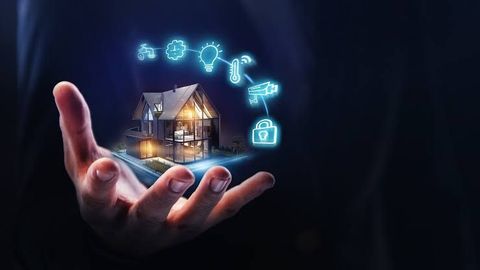
Learn About Home Security Cameras: Tips, Knowledge, and Helpful Resources
Home security cameras are electronic devices designed to capture and monitor activity around a residence. They can record video continuously or respond to events such as movement, sound, or a doorbell press. Depending on the model, footage may be stored on a memory card, network video recorder, local storage device, or cloud platform.
The basic purpose of a home security camera is observation. A camera can help residents understand what is happening at entrances, driveways, balconies, corridors, living areas, or other appropriate locations. Modern systems can also connect to smartphones and home networks, allowing users to review alerts or recorded footage remotely.
Home security cameras are available in many forms. Indoor security cameras are generally designed for rooms and enclosed areas, while outdoor security cameras are built to tolerate environmental conditions. Wireless home security cameras commonly communicate through Wi-Fi, whereas some systems use wired network or power connections.
Smart home security cameras may include features such as motion detection, night vision, two-way audio, automated alerts, and basic AI-based recognition. These features can make monitoring more organized, but they also create additional privacy and cybersecurity considerations.
Why Home Security Cameras Matter Today
Residential security cameras have become more relevant as homes increasingly use connected devices. A single household may now have smartphones, smart speakers, connected locks, Wi-Fi routers, video doorbells, and other networked equipment.
A home security camera system can bring several monitoring functions together. For example, an outdoor camera can observe an entrance, an indoor camera can monitor a common area, and a video doorbell camera can provide a view of visitors at the door.
Important uses include:
Monitoring entrances, gates, garages, and driveways
Observing selected indoor common areas
Receiving motion-related notifications
Checking activity when residents are away
Recording events for later review
Supporting household awareness of unusual activity
Providing visual information about visitors or deliveries
However, cameras should not be treated as a complete security solution. Their effectiveness depends on positioning, lighting, network reliability, software configuration, maintenance, and responsible use.
Common Types of Home Security Cameras
Different camera types are suited to different monitoring situations.
| Camera Type | Typical Use | Common Features |
|---|---|---|
| Indoor security camera | Rooms and indoor areas | Motion detection, two-way audio |
| Outdoor security camera | Entrances and exterior areas | Weather resistance, night vision |
| Wi-Fi security camera | Connected home monitoring | Wireless network access |
| 360 degree security camera | Broad-area observation | Wide or panoramic coverage |
| Pan tilt security camera | Flexible viewing | Remote horizontal and vertical movement |
| Video doorbell camera | Front-door monitoring | Doorbell alerts, visitor video |
| AI security camera | Event classification | Object or activity detection |
| Local storage camera | On-site recording | Memory card or local recorder |
| Cloud security camera | Remote footage access | Online storage and account access |
The appropriate type depends on the location, viewing angle, lighting, network conditions, privacy requirements, and recording needs.
Important Home Security Camera Features
Home security camera features vary significantly between models. Resolution is one important factor because higher image detail can make objects easier to identify, although resolution alone does not determine overall video quality.
Night vision helps cameras capture activity in low-light conditions. Some systems use infrared illumination, while others use low-light image sensors.
Motion detection identifies changes within a camera's viewing area and can trigger notifications or recording. More advanced systems may distinguish between people, vehicles, animals, or other objects.
Two-way audio allows communication through a camera equipped with a microphone and speaker. This can be useful for communicating with someone near an entrance, but microphones should be positioned thoughtfully to reduce unnecessary recording of private conversations.
Cloud and local storage provide different approaches to managing recorded footage. Cloud storage can make remote access easier, while local storage can reduce dependence on an external storage platform. Each approach has different privacy, security, reliability, and retention considerations.
Choosing Locations and Planning Installation
Security camera installation should begin with a simple assessment of the areas that actually need monitoring. Entrances, gates, driveways, and other access points are often more relevant than attempting to record every part of a home.
For outdoor cameras, the viewing angle should cover the intended area without unnecessarily recording neighboring homes or private spaces.
For indoor cameras, common areas may be more appropriate than bedrooms, bathrooms, or other highly private locations. Residents should also consider who can access the footage and whether other household members or visitors may be recorded.
A useful planning checklist includes:
Identify important entry and exit points.
Check lighting conditions during both day and night.
Determine whether Wi-Fi coverage is adequate.
Choose appropriate camera height and viewing direction.
Avoid unnecessary capture of private areas.
Secure camera accounts with strong passwords.
Enable multi-factor authentication where available.
Keep camera firmware and related applications updated.
Review storage and retention settings regularly.
Recent Developments in Home Security Cameras
The home surveillance camera market is increasingly influenced by artificial intelligence, connected-home platforms, and cybersecurity requirements.
AI security camera technology is moving beyond simple motion alerts. Modern systems can analyze visual information to identify patterns or categories such as people and vehicles. This can reduce unnecessary notifications, although automated detection can still produce errors and should not be treated as infallible.
Privacy and cybersecurity have also received greater attention in India. On 25 March 2026, the Government of India highlighted strengthened security requirements for CCTV systems, including requirements related to critical-component origin, vulnerability testing, and testing through accredited laboratories. The government stated that 507 CCTV camera models had been certified for compliance with the applicable Essential Requirements at that time.
BIS also maintains standards and testing arrangements relevant to CCTV equipment. Its published standards include the IS 16910 series for video surveillance systems, covering areas such as system requirements and video transmission.
These developments show that camera selection increasingly involves not only image quality but also cybersecurity, testing, software updates, and responsible data handling.
Laws, Privacy, and Policies in India
Home security cameras in India operate within a broader legal environment involving privacy, electronic equipment, data protection, and local rules. The exact requirements can depend on how and where a camera is used.
The Digital Personal Data Protection Act, 2023 establishes a framework for processing digital personal data and includes principles concerning lawful processing and protection of individuals' data.
The DPDP Rules, 2025 were notified on 14 November 2025. The government described the Act and Rules as establishing a framework around responsible digital personal-data use, including principles such as purpose limitation, data minimisation, storage limitation, security safeguards, and accountability.
CCTV equipment is also subject to technical requirements. BIS lists CCTV cameras and CCTV recorders under applicable compulsory-registration arrangements, while the government has introduced Essential Requirements specifically addressing CCTV security.
In addition, local rules may apply. For example, Delhi maintains the Delhi Rules for Regulations of CCTV Systems in NCT of Delhi, 2018, with the Home Department continuing to publish the rules on its official website.
For a private residence, responsible use generally means positioning cameras for legitimate security purposes, limiting unnecessary capture of private spaces, protecting recorded footage, and controlling who has access to camera accounts and recordings.
Helpful Tools and Resources
Several resources can help households understand and manage home security camera systems:
Bureau of Indian Standards (BIS): Useful for checking applicable Indian standards and certification information.
MeitY CCTV security guidance: Helpful for understanding cybersecurity considerations for CCTV and video-surveillance equipment.
Digital Personal Data Protection resources: Useful for learning about India's evolving data-protection framework.
Camera manufacturer documentation: Important for understanding firmware updates, storage settings, account security, and privacy controls.
Wi-Fi coverage tools: Can help identify weak network areas before installing wireless cameras.
Storage calculators: Useful for estimating recording capacity based on resolution, frame rate, compression, and recording duration.
Camera field-of-view planning tools: Helpful for estimating coverage and reducing blind spots.
The most useful approach is to combine technical documentation with a privacy-focused installation plan rather than relying on camera specifications alone.
Frequently Asked Questions
Are home security cameras legal in India?
Home security cameras can generally be used for lawful security purposes, but their placement and operation should respect privacy and applicable laws. Local rules may also apply.
What is the difference between a Wi-Fi security camera and a wired camera?
A Wi-Fi security camera generally sends data through a wireless network, while a wired system uses physical network or other connections. Wired systems can provide more predictable connectivity, while Wi-Fi systems can be more flexible in placement.
Is cloud storage better than local storage?
Neither is universally better. Cloud storage can simplify remote access, while local storage provides on-site control. Privacy, security, reliability, retention, and access requirements should all be considered.
What is an AI security camera?
An AI security camera uses software-based analysis to identify or classify visual events. Depending on the system, it may recognize categories such as people or vehicles and generate more specific alerts than basic motion detection.
Where should an indoor security camera be placed?
Common areas and entry points are generally more appropriate than highly private spaces. The camera should be positioned to monitor the intended area while minimizing unnecessary recording of other people or private activities.
Conclusion
Home security cameras have developed from simple recording devices into connected monitoring systems with features such as Wi-Fi connectivity, night vision, motion detection, two-way audio, AI-based analysis, and remote access.
Choosing and using them effectively requires more than selecting a high-resolution camera. Location, lighting, network reliability, storage, cybersecurity, privacy, and maintenance all influence the usefulness of a home security camera system.
For households in India, recent CCTV security requirements and developments in digital data protection make responsible device selection and data handling increasingly important. A well-planned system should focus on legitimate security needs while limiting unnecessary surveillance and protecting recorded information.

Related Post...

Learn About Digital Banking Platforms: Tips, Knowledge, and Helpful Resources
Updated: November 19, 2026
Read More
Learn About Home Security Cameras: Tips, Knowledge, and Helpful Resources
Updated: November 23, 2026
Read More
Understanding Market Trend Interpretation Services: Tips, Knowledge, and Helpful Resource
Updated: November 23, 2026
Read More